
Rebranding
name, colour, logo, copy.
Most of the brand is a setting: change it in the admin and it applies at once. A few strings are written into the HTML files (page title, social preview, favicon); change those once in the code and rebuild.
01In the console, no code and no rebuild
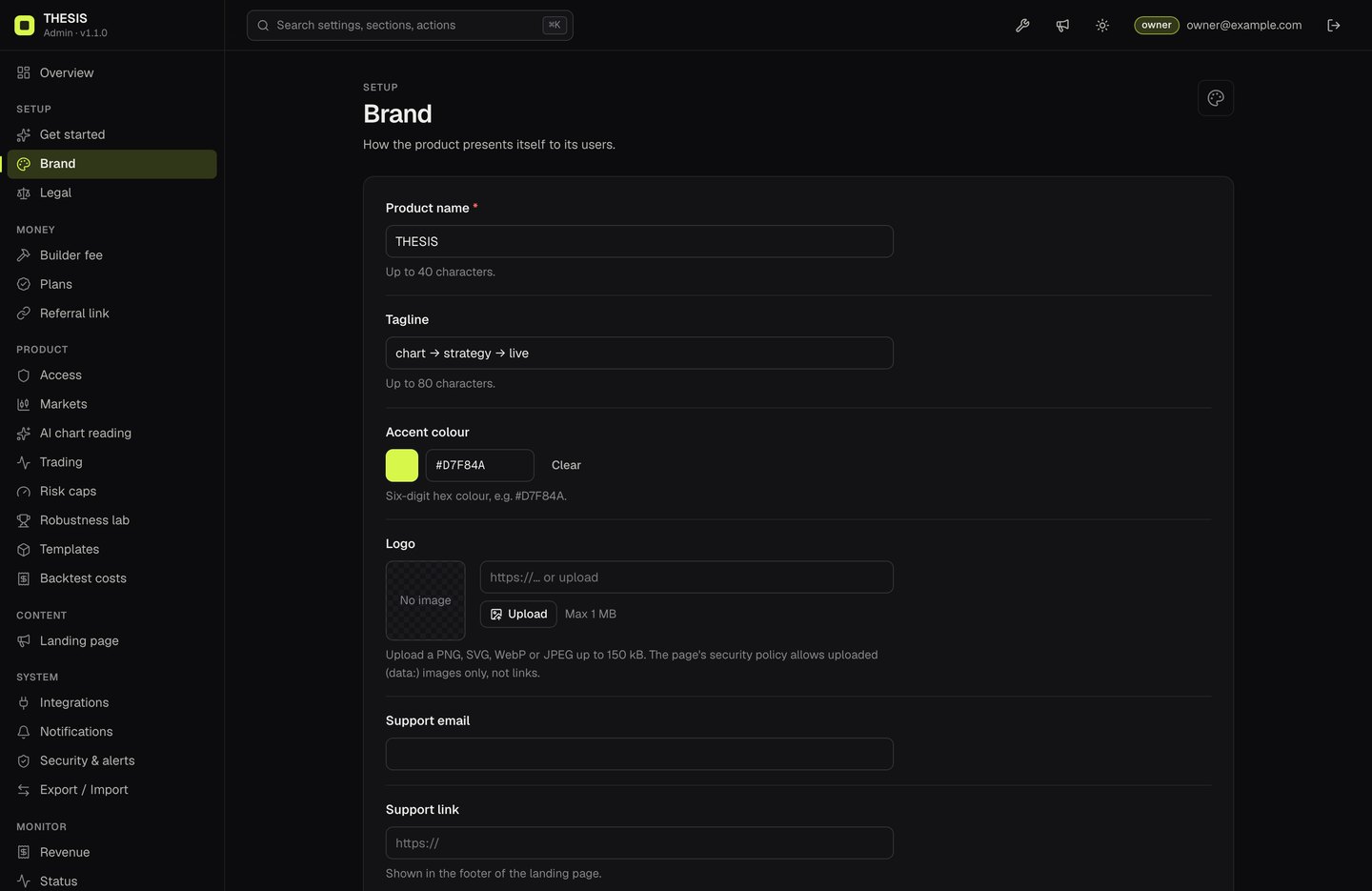
Sign in at /admin, open a section, change the field and press Save changes. The desk and the landing page read the new values the next time they load (users with an open tab see them after a reload). Every save is range-checked and written to the audit log; History can roll it back. Managers and owners can edit; viewers can only read.
| What you can change | Console section | Where it shows |
|---|---|---|
| Product name (40 characters), tagline (80) | Brand (also asked by Get started) | Desk top bar, landing page, the browser tab title of both pages once they have loaded, the console's sidebar and sign-in screen |
| Accent colour (six-digit hex) | Brand (also Get started) | Desk and landing (swapped at runtime), and the console |
| Logo (upload PNG, SVG, WebP or JPEG up to 150 kB; links are refused by the security policy) | Brand | Desk and landing |
| Support email, support link | Brand | Landing page footer |
| Risk notice (footer), up to 1,500 characters | Legal | Footer of desk and landing |
| Headline, sub-headline, button label, FAQ (up to 20 entries), show or hide the "for operators" section and the FAQ | Landing page | Landing page |
| Maintenance mode and message, announcement banner and its style, blocked countries | Access | Desk and landing |
| Ticker strip, default coin and interval, intervals offered, tradable coins | Markets | Landing and desk |
| AI on/off, model, effort, hourly and daily limits, house rules for the prompt | AI chart reading | Desk |
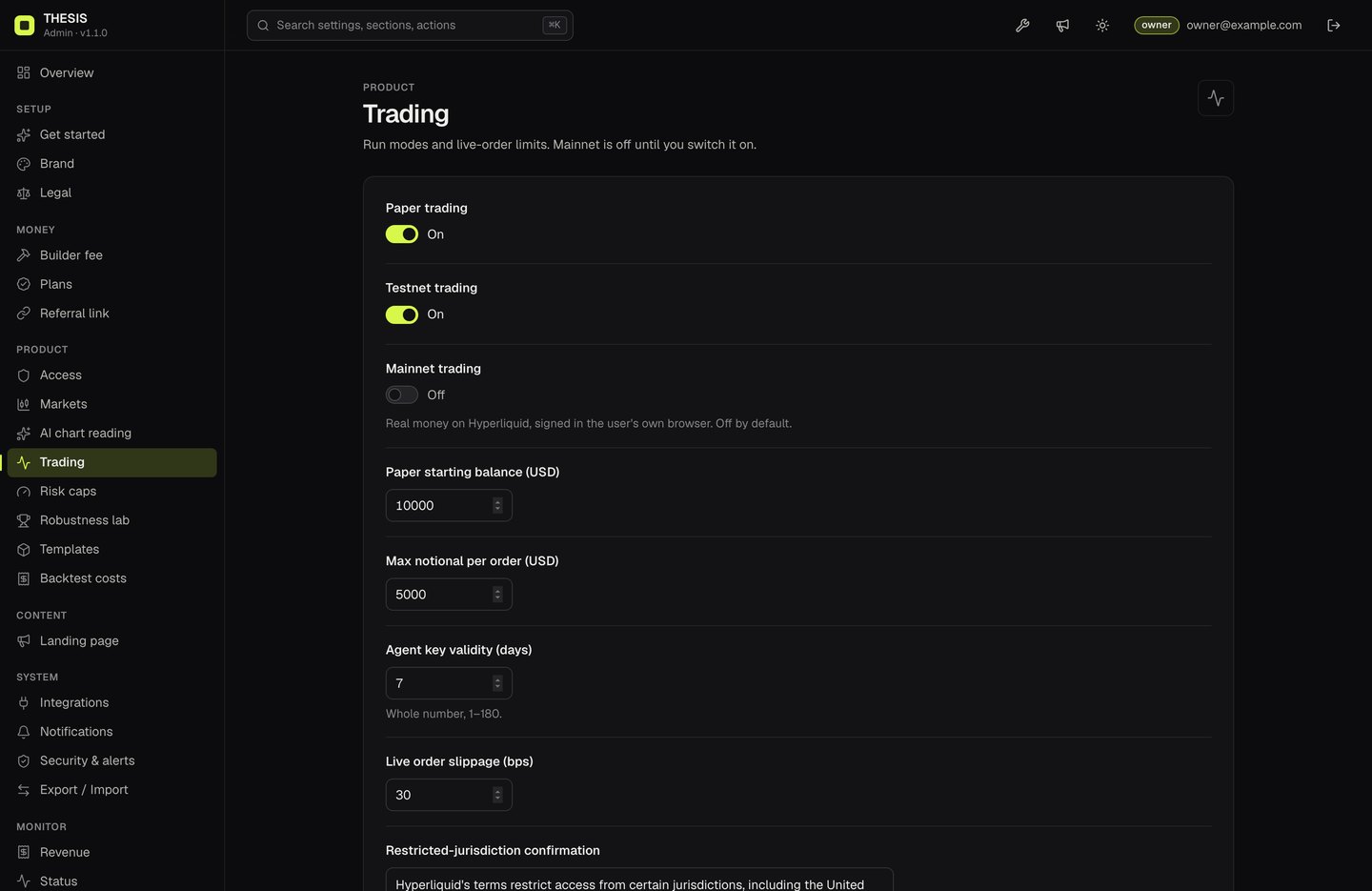
| Paper/testnet/mainnet switches, paper balance, max notional per order, agent key validity, live slippage, the restricted-jurisdiction text | Trading | Desk |
| Max leverage, risk per trade, daily loss, trades per day | Risk caps | Desk (they can only tighten) |
| Minimum grade for live runs, walk-forward folds, Monte Carlo runs | Robustness lab | Desk |
| Which of the three starter templates are offered | Templates | Desk strategy gallery |
| Backtest taker fee and slippage | Backtest costs | Desk backtests |
| Builder fee, Pro plan (name, price, period, pay-to address, AI quotas, perks), referral link and disclosure | Builder fee, Plans, Referral link | Desk and landing (Earnings) |
| Anthropic key (owner only), webhook URL and signing secret | Integrations, Notifications | Server only |
| Team members and roles, two-factor rules, alert rules | Team, Security & alerts | Console |
02Walkthrough: your name and colour, before and after
A complete small rebrand, start to finish. The example renames the product to "Northwind Desk" with a blue accent; use your own name and colour.
| Step | What you do | Before | After |
|---|---|---|---|
| 1. Console | Sign in at /admin, open Brand, type the new product name and tagline, set the accent to #2F6BFF, press Save changes. | Top bar says THESIS, lime accent #D7F84A | Reload the desk: the top bar, buttons and links use "Northwind Desk" and blue. No rebuild. |
| 2. Logo | Still in Brand, upload a PNG or SVG under 150 kB and save. | The THESIS mark | Your logo on the desk and the landing page. |
| 3. Static tags | In index.html and app.html replace the <title>, og:title and the favicon, then run pnpm build and redeploy. | A link preview in a chat app shows "THESIS" | The link preview and the browser tab show your name from the first moment. |
| 4. First paint | In src/design/tokens.css set --accent (and --accent-pressed, --accent-soft) to your colour; rebuild. | A brief lime flash before settings load on a first visit | No colour flash. |
| 5. Check | Open the landing page and the desk in a private window. | Your name, colour and logo everywhere; History in the console shows the saves and can roll them back. |
03What the console cannot change
To be clear about the limits: these are not settings. They need a code change and, for the pages, pnpm build and a redeploy.
- The title, social preview tags and favicon written in
index.htmlandapp.html: link previews and search engines usually read these static values, and they show for a moment before settings load (see the next section). - Colours other than the accent, fonts, layout and the dark/light look of the desk:
src/design/tokens.cssand the files undersrc/ui/. - Language: the interface is English; there is no translation system.
- The logo in the console: the console shows your product name and accent colour, not the uploaded logo.
- New strategy templates, indicators or rule types:
src/templates.tsandsrc/strategy/. The console only switches the three existing templates on or off. - The list of AI models offered in the console:
AI_MODELSinsrc/shared/settings.ts. - Exchanges and markets beyond Hyperliquid perps, and any extra host the browser should reach (which must also be added to the security policy in
server/csp.tsandvercel.json). - Hard limits: the allowed ranges of every setting (
src/shared/settings.ts) and the 0.1 % builder-fee cap. - Server settings:
ADMIN_SECRET_KEY,DATABASE_URLand the other environment variables (Configuration); they need a restart or redeploy, not a rebuild.
04In the code (rebuild)
The commands on this page are written for the shell of macOS and Linux (bash or zsh). On Windows, run them in WSL (Windows Subsystem for Linux, Ubuntu) or Git Bash: commands such as cp, openssl, set -a && . ./.env and multi-line curl with \ do not work as written in PowerShell or cmd. The node and pnpm commands work in any of them.
The few brand strings that live in files, for a complete rebrand:
| File | What to change |
|---|---|
index.html | <title>, og:title, og:description, twitter:title, the favicon (an inline SVG in <link rel="icon">) and the product name written in the page before settings load. |
app.html | <title>, favicon, the name in id="brand". |
src/design/tokens.css | The default accent (--accent, --accent-pressed, --accent-soft) shown before settings load, plus the rest of the colour tokens. |
src/shared/settings.ts | Defaults for a fresh install: brand name, tagline, accent, landing copy, FAQ, risk notice. |
package.json | name and description (internal only). |
pnpm build # after changing any of the files aboveThe TradingView logo on the chart is required by the Lightweight Charts licence. Leave it on (Credits).
05Domain and language
- Domain: the pages use relative addresses, so any domain works. Point it at your host (Deployment).
- Language: the interface is English, with strings in the TypeScript files under
src/ui/andsrc/landing/. There is no translation system; translating means editing those strings.